Case study 02Client project · Marketplace · Four mobile apps
Deepam
Book a pujari, a bhajan band and the samagri in one place.
For about four months I was the only designer on a puja booking platform in Hyderabad. I designed four apps, one for families and one each for pujaris, bhajan bands and samagri stores, from the first client brief to developer handoff.
Deepam is a pseudonym and the client's name is withheld.
The problem
Families find a pujari the way they find a doctor: through someone they trust. The app has to help families trust a pujari they've never met.
What I did
Research with the client and pujaris, the structure of all four apps, a visual language, 177 screens and developer handoff.
The call
Pujaris, bands and stores share one flow: sign up, get approved, take bookings and get paid. I designed it once and changed only the steps where their work differs.
Sankalpa
The intention. Who a booking involves and how it worked before.
01The business
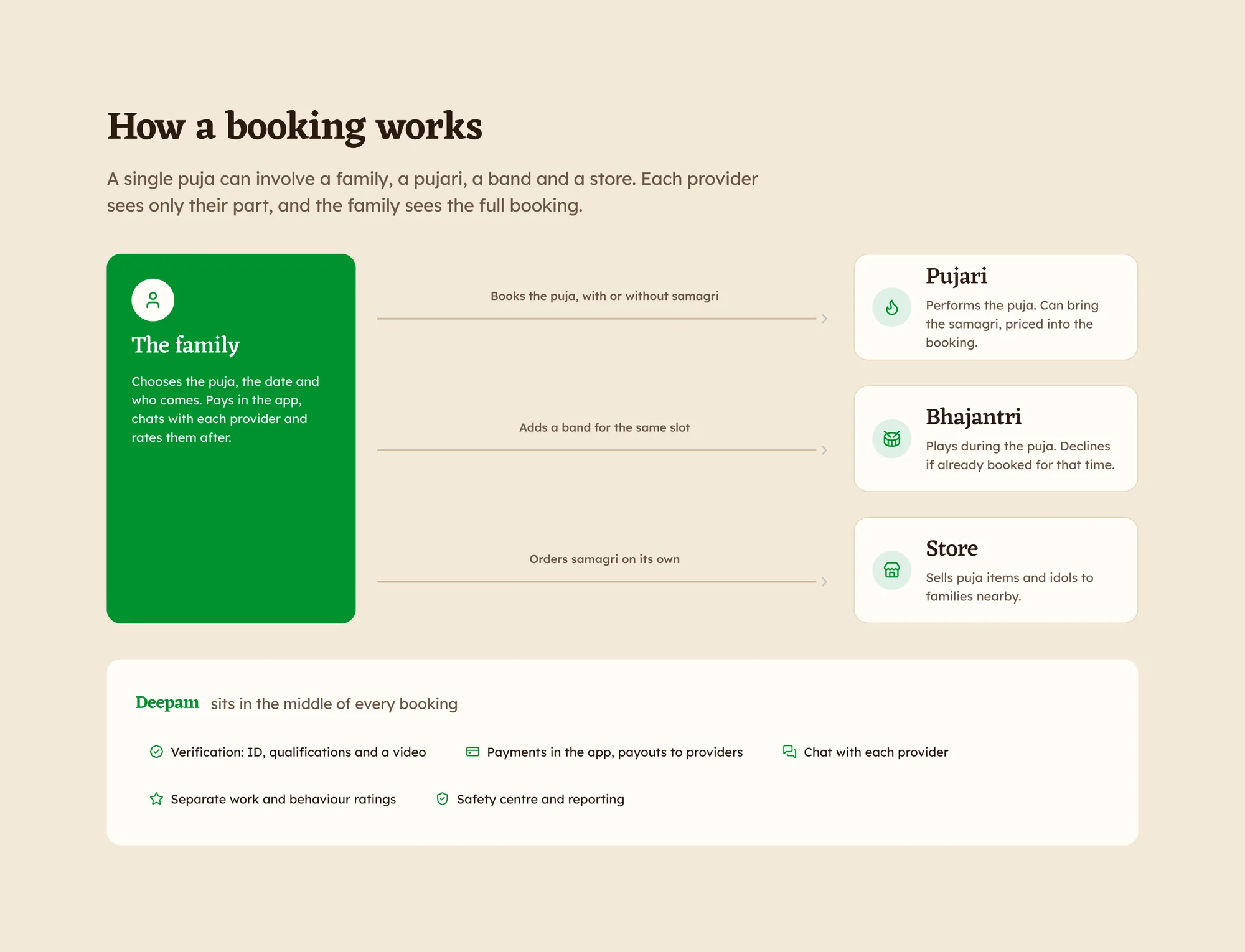
How a booking works
Families in Hyderabad book a verified pujari for a home puja, add a bhajan band if they want music and order the samagri from a store nearby. A single puja can involve a family, a pujari, a band and a store.
Each provider sees only their part, and the family sees the full booking.
The brief: make booking a pujari feel like booking any other service at home. See who is nearby, what they charge and what other families thought, then pay in the app.
4apps for the four people in a booking
9languages a provider can run their app in
24 hcut-off for changing or rejecting a booking
177screens: 74 for families, 103 across the provider apps
A single booking involves four people. Deepam sits in the middle with verification, payments, chat, ratings and a safety centre.
02Research
Families book pujaris through people they trust
Alongside the client calls, we spoke to pujaris about how they work without an app. Most of their bookings came through word of mouth and the temples they serve.
"A family finds a pujari the way they find a doctor: someone they trust tells them who to call."
What came up most in the pujari conversations
What a recommendation used to provide
So a pujari's card and profile had to give families the same confidence.
Without an appIn Deepam
Found through a relative or the templePujaris nearby, with distance, experience, languages and starting price
Trusted because of who recommended themAadhaar check, stated qualifications, a Pravarana video and reviews
One rating: were they goodTwo ratings: how well the puja was done, and how the pujari behaved
Price agreed in personA listed price for every puja, shown with or without samagri
Samagri bought by the family or brought by the pujariEither, chosen at booking, or ordered from a store nearby
Paid in cash after the pujaPart paid in the app to confirm, the rest after; cash still allowed
Sthapana
Laying the ground. The structure and the main decisions.
03Decisions
The calls that shaped the product
Three provider apps
ChoseOne shared flow for all three: sign up, get approved, take bookings and get paid, adjusted only where their work differs.
ReplacedThree separately designed apps.
WhyPujaris, bands and stores follow the same order. 4 of the 10 steps are identical down to the screen, and 103 provider screens come from one sequence.
Proving who a pujari is
ChoseAadhaar and a Pravarana video before anyone can book them.
ReplacedTrust through who recommended them.
WhyFamilies need a way to trust a pujari without a relative's recommendation.
How families pay
ChosePay 20% to confirm and the rest after, or pay in full and get ₹100 back.
ReplacedThe full ₹7,600 up front, in the first version.
WhyCash after the puja is the habit. Paying part upfront confirms the booking without asking families to pay everything in advance.
Confirming the puja happened
ChoseA start code when the pujari arrives and a finish code to close the booking.
ReplacedNothing: the first version had no confirmation.
WhyPayment and ratings depend on the puja taking place, and nothing confirmed that it did.
Saying no
ChoseReject in the app up to 24 hours before.
ReplacedCalling support within 30 minutes.
WhyThe family hears in time to book someone else.
Reports and suspension
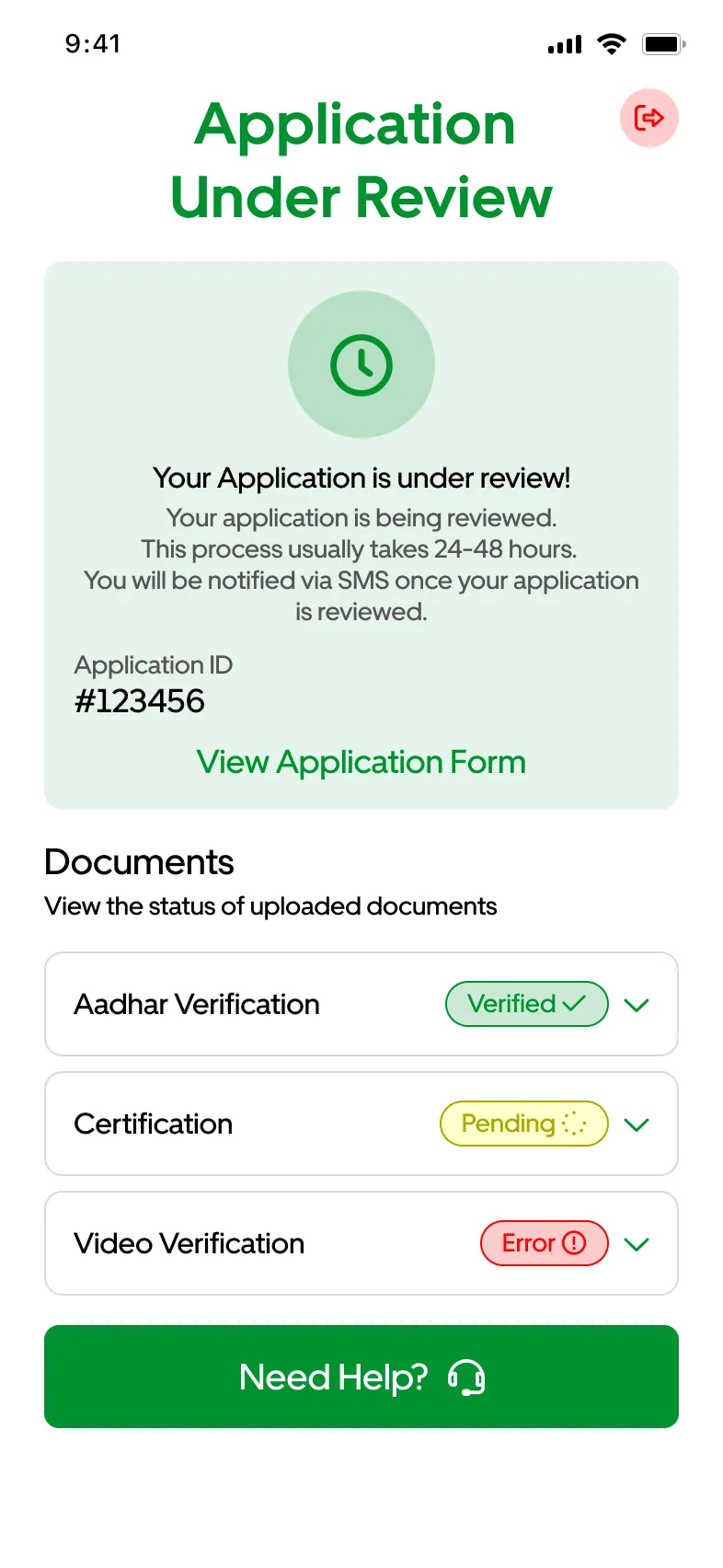
ChoseSuspension shows the reason on the pujari's home screen, with an appeal on the same card.
ReplacedHome as usual, with no explanation.
WhyA report flow has to be fair to pujaris as well as families.
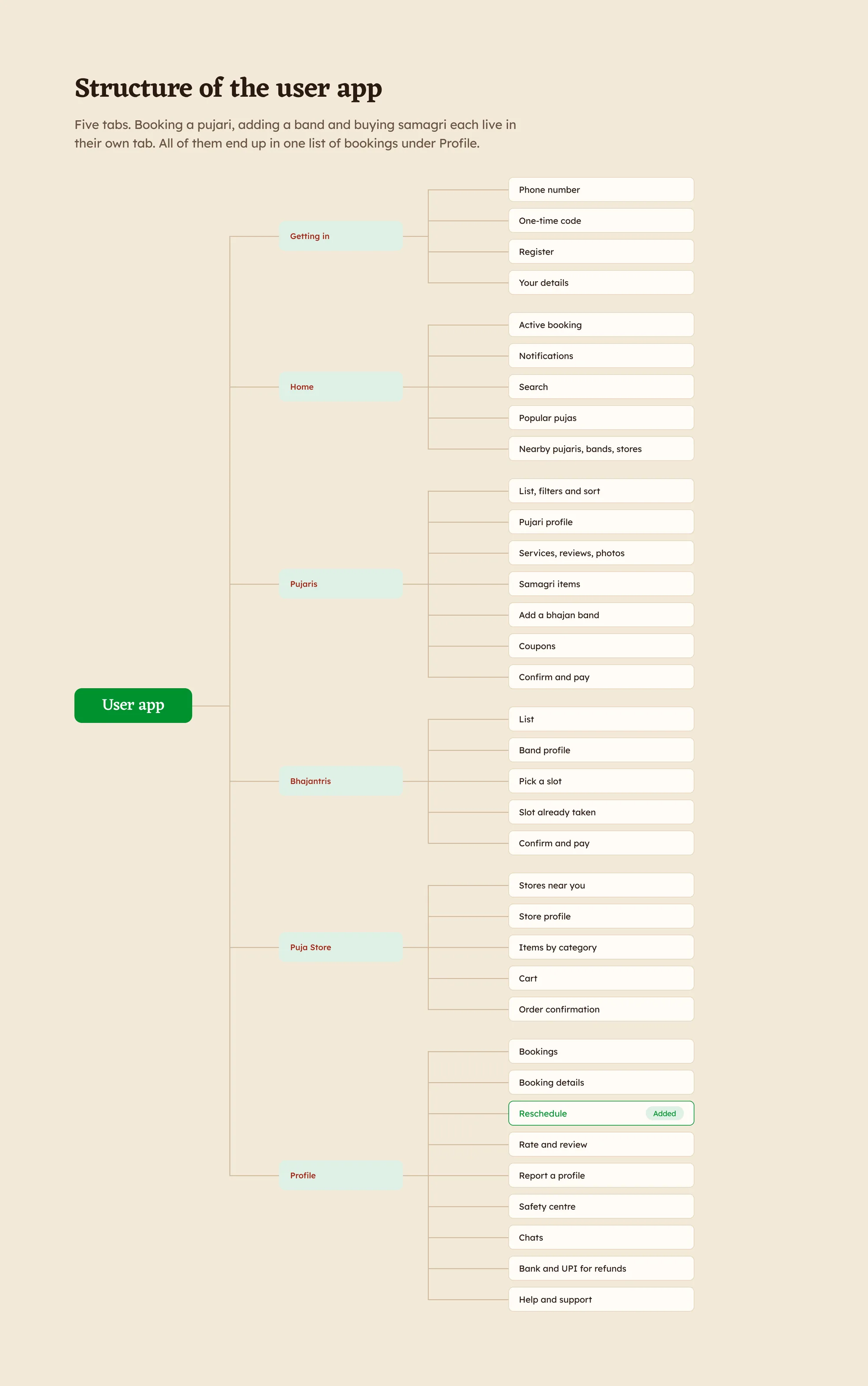
The structure of all four apps. Open it to see the full map.
Alankara
Adornment. The screens families and providers use.
04The family app
Booking a pujari like any service at home
74 screens.
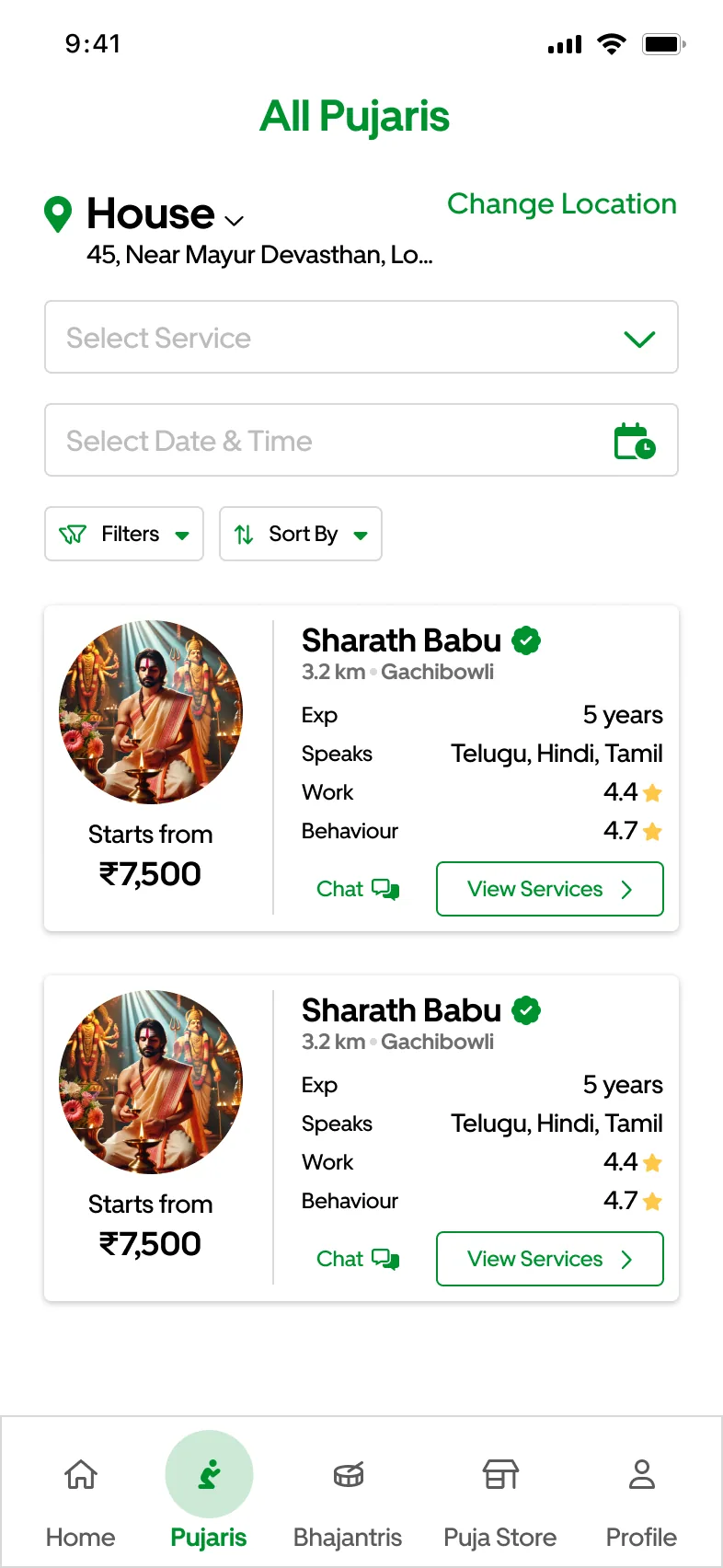
Who is nearby. Distance, experience, languages, two ratings and a starting price on every card.
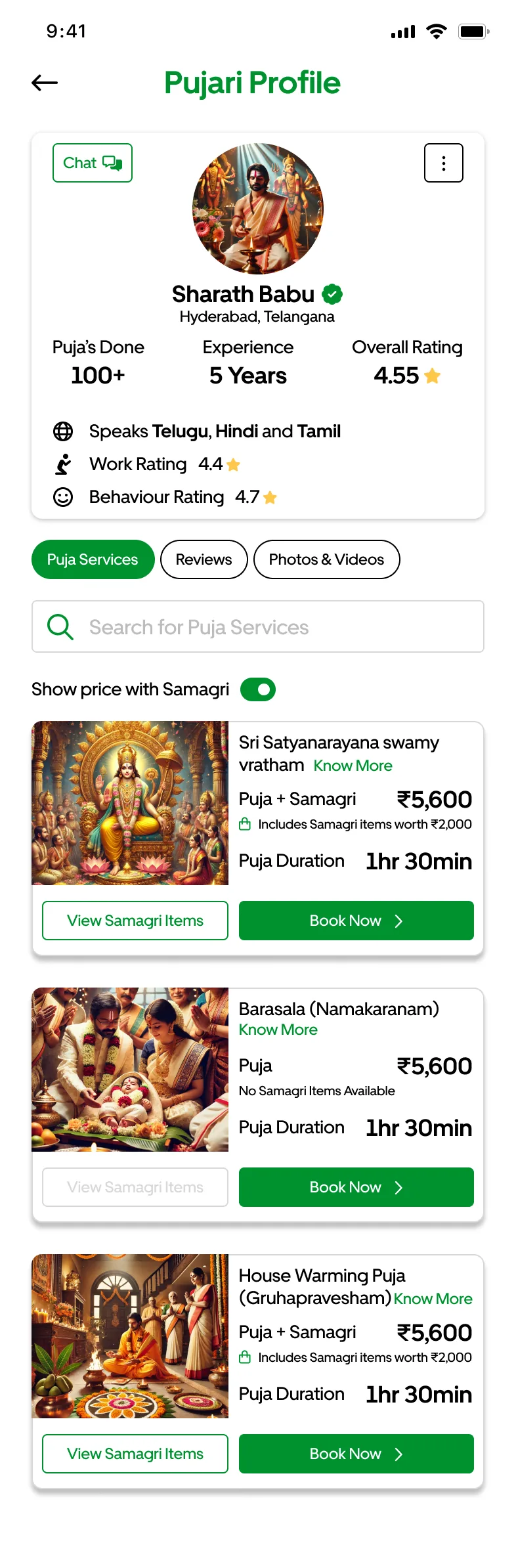
A profile families can check. Pujas done, experience, work and behaviour ratings and every puja with its price.
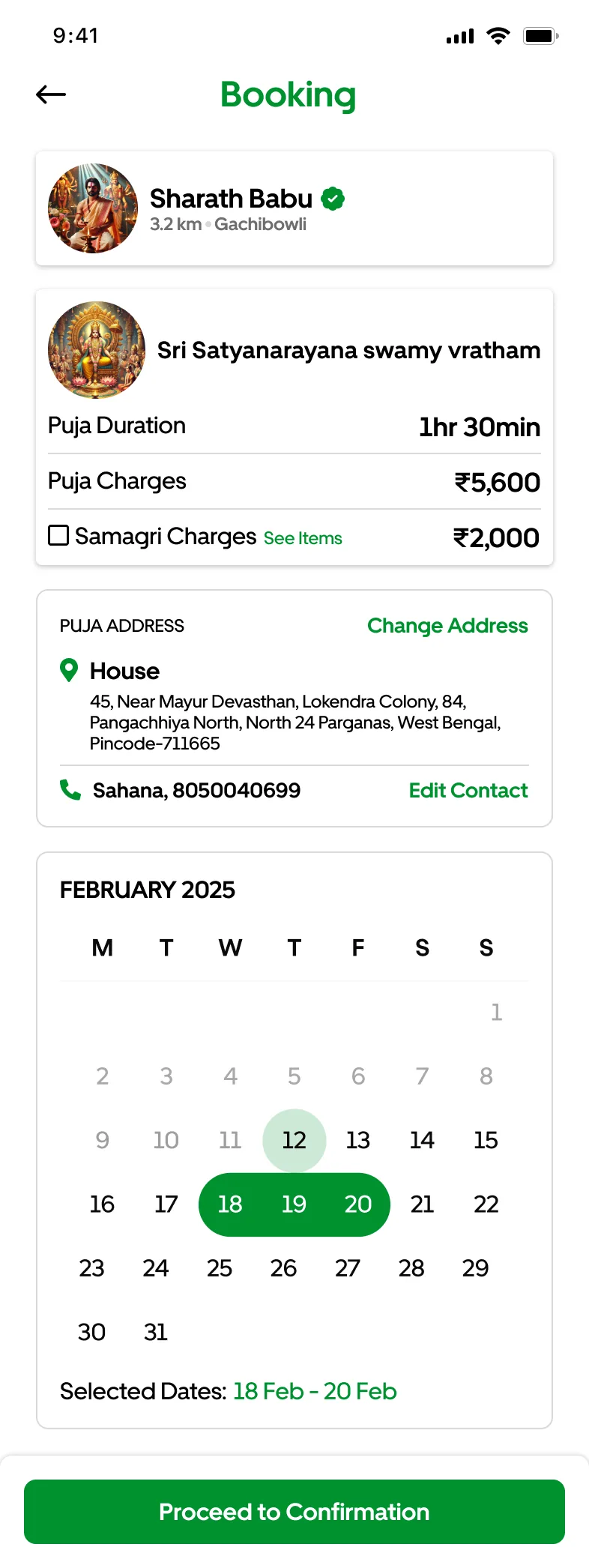
Pick the day. Samagri is a toggle at booking, so the price is clear with or without it.
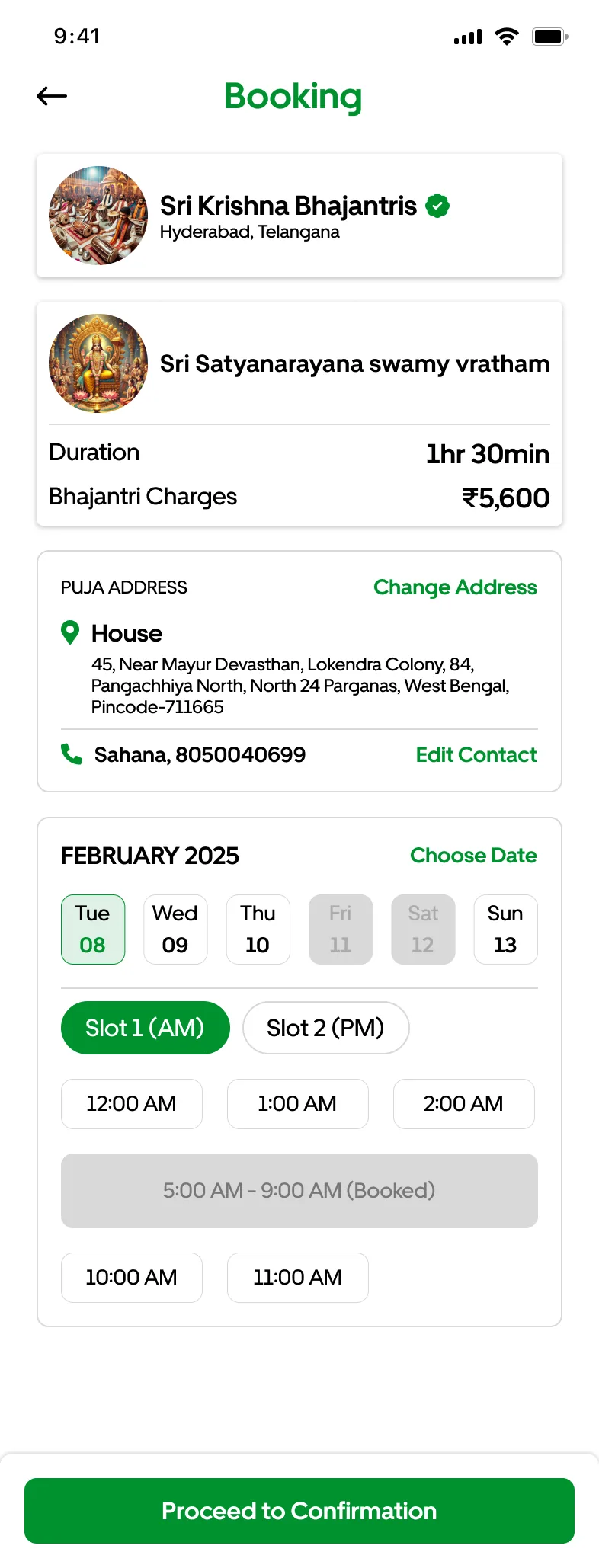
A slot someone else took. Booked slots stay visible and greyed out, so the family can see why.
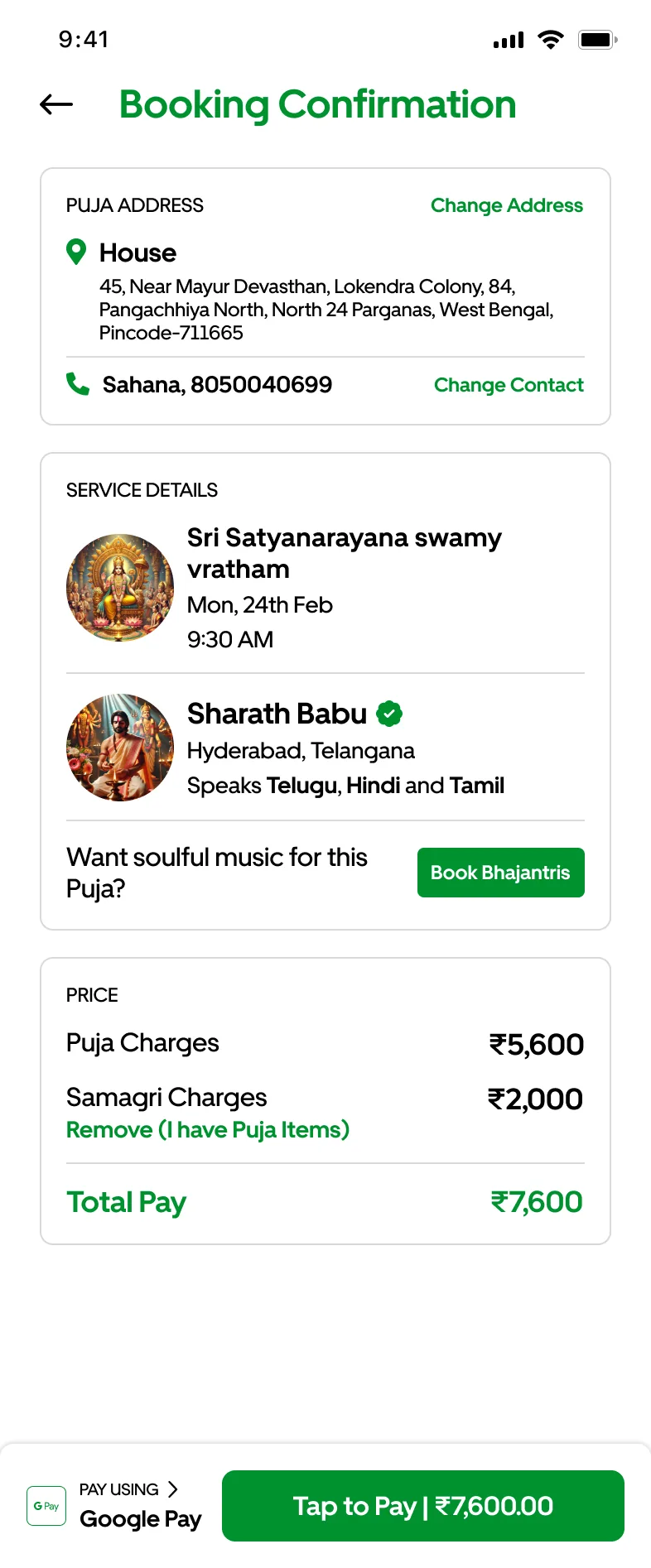
Add music before paying. The confirmation offers a bhajan band for the same slot.
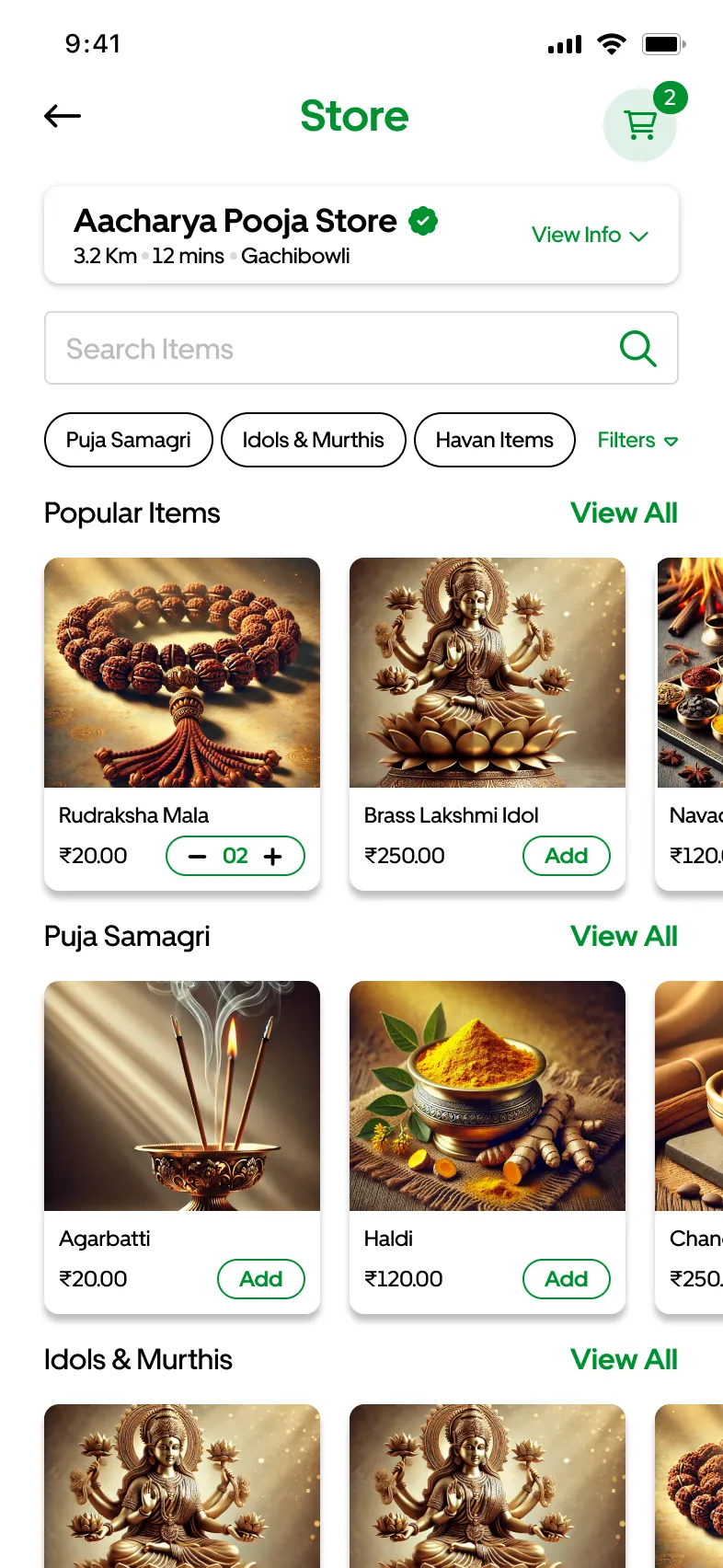
Samagri from a store nearby. Puja samagri, idols and havan items, with delivery time.
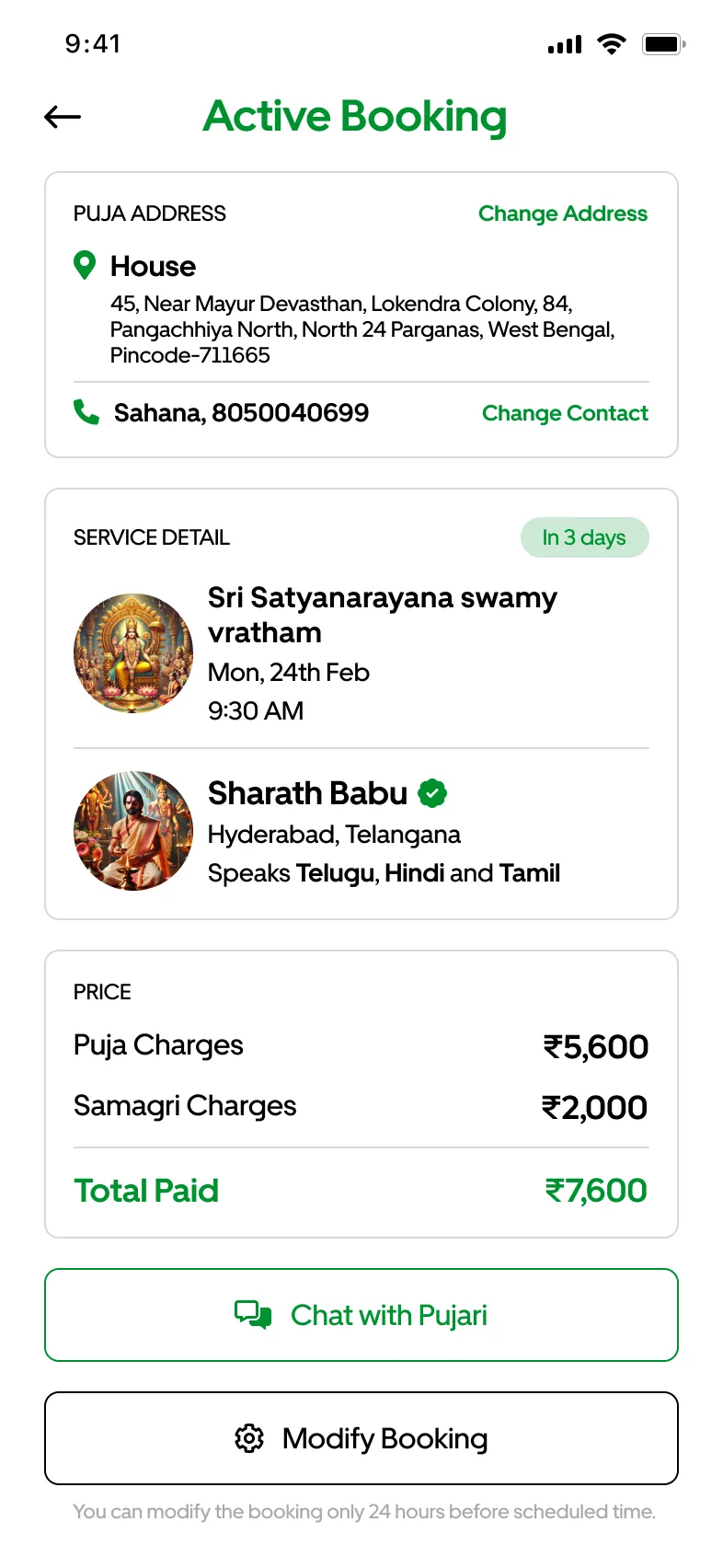
The whole booking in one place. Address, puja, pujari and what was paid, with chat one tap away.
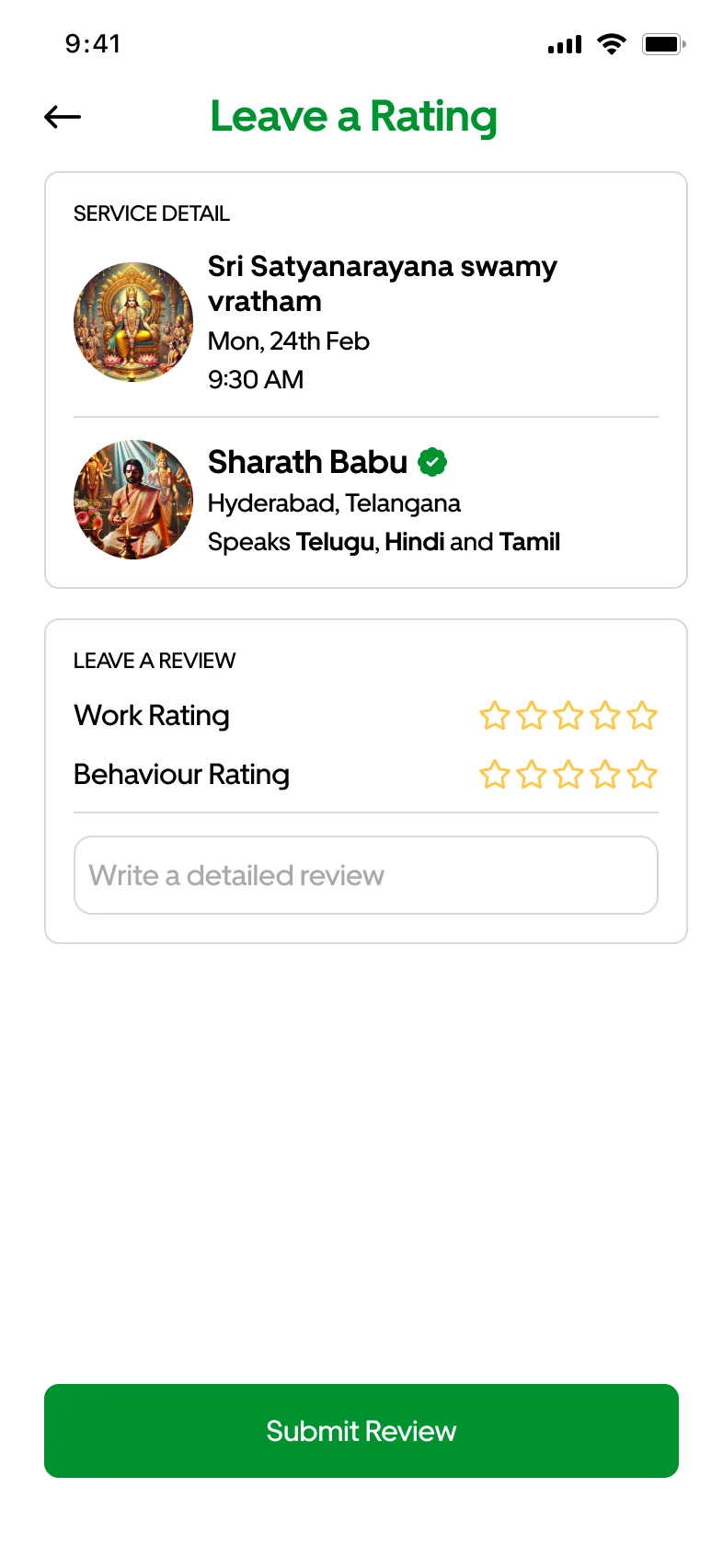
Two ratings. How well the puja was done, and how the pujari behaved.
05The provider apps
Three apps with the same steps
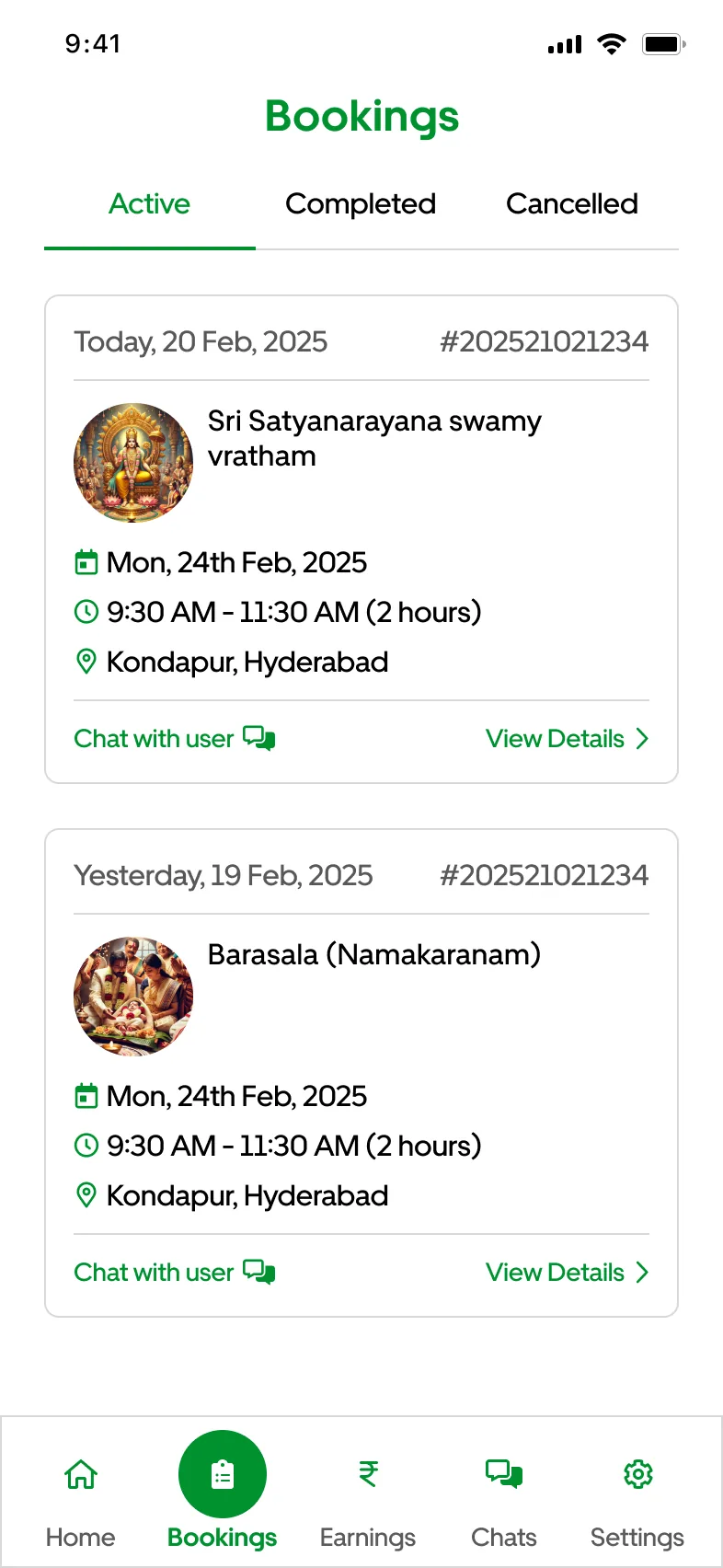
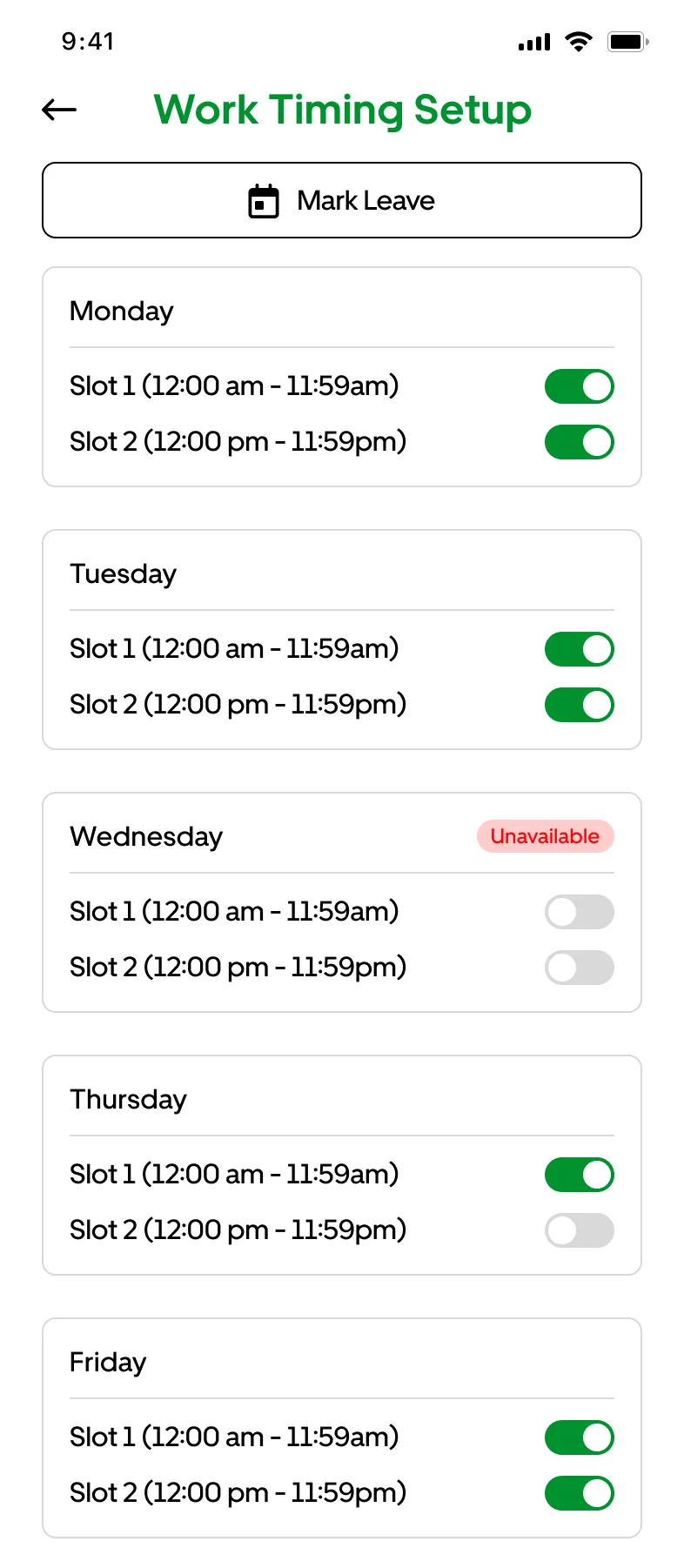
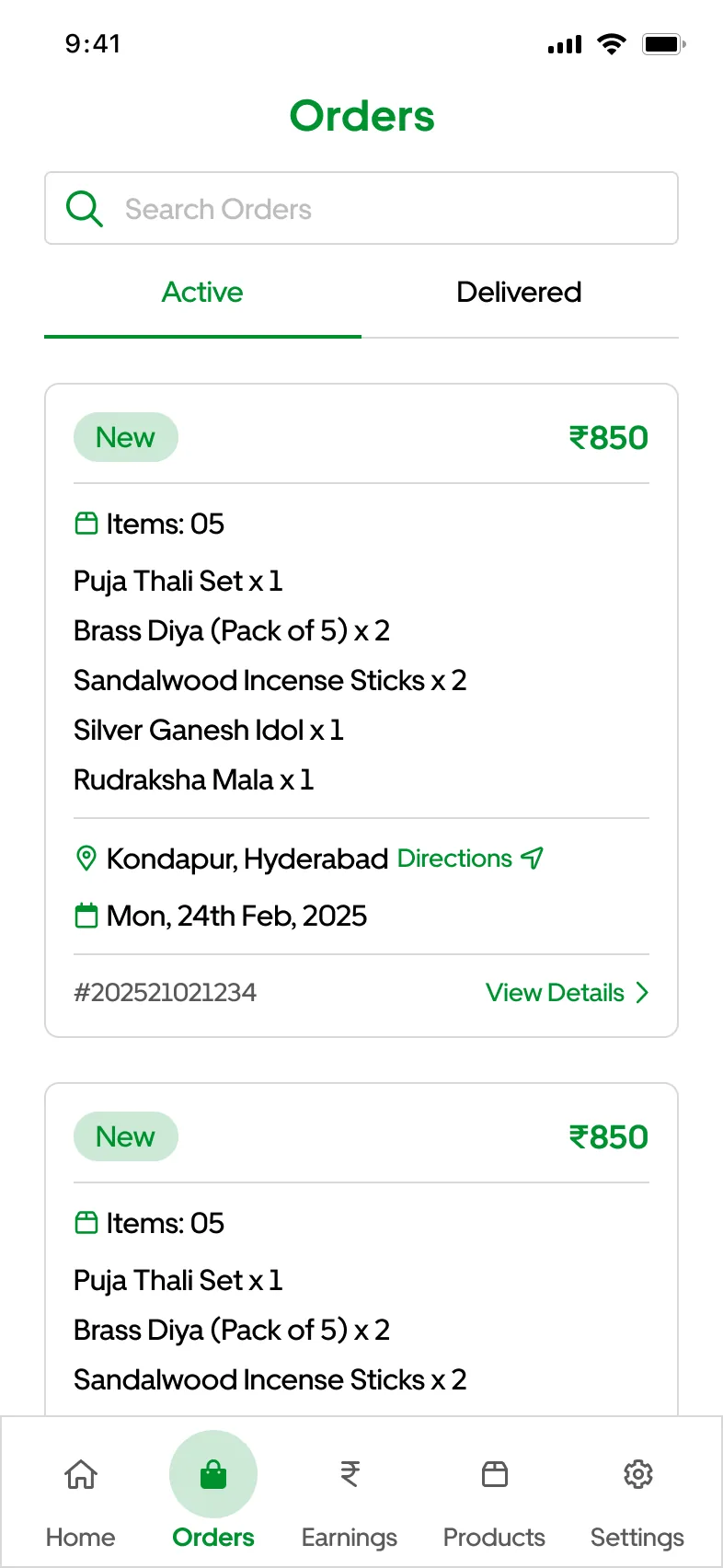
Pujaris prove who they are before anyone can book them. Bands can turn down a slot they're already playing. Stores run on orders and stock. Everything else follows the same steps: sign up, wait for approval, take work, get paid.
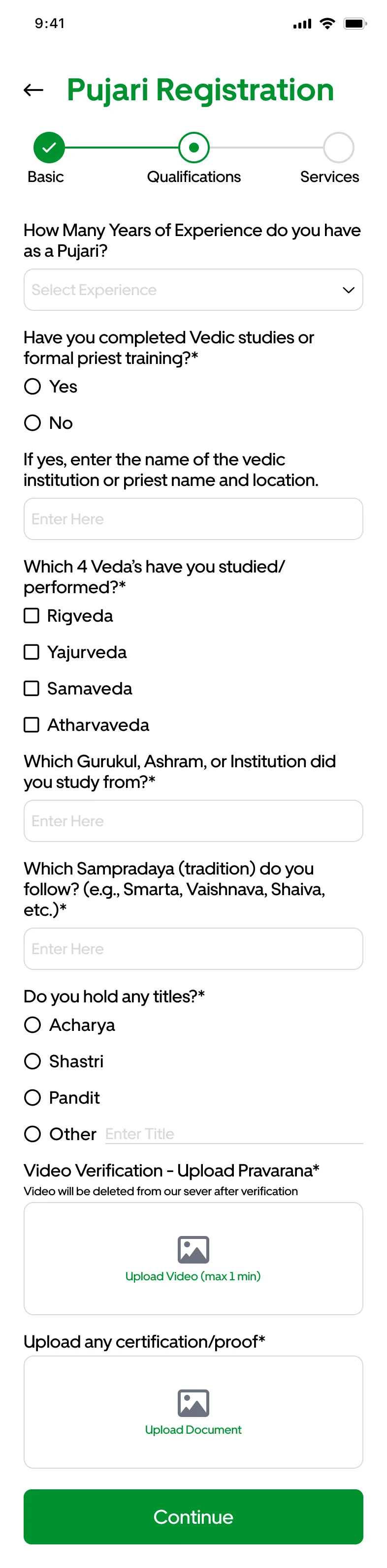
Sign up: qualifications and a Pravarana video
Wait for each document to be approved
Take work
Set the days and slots you work
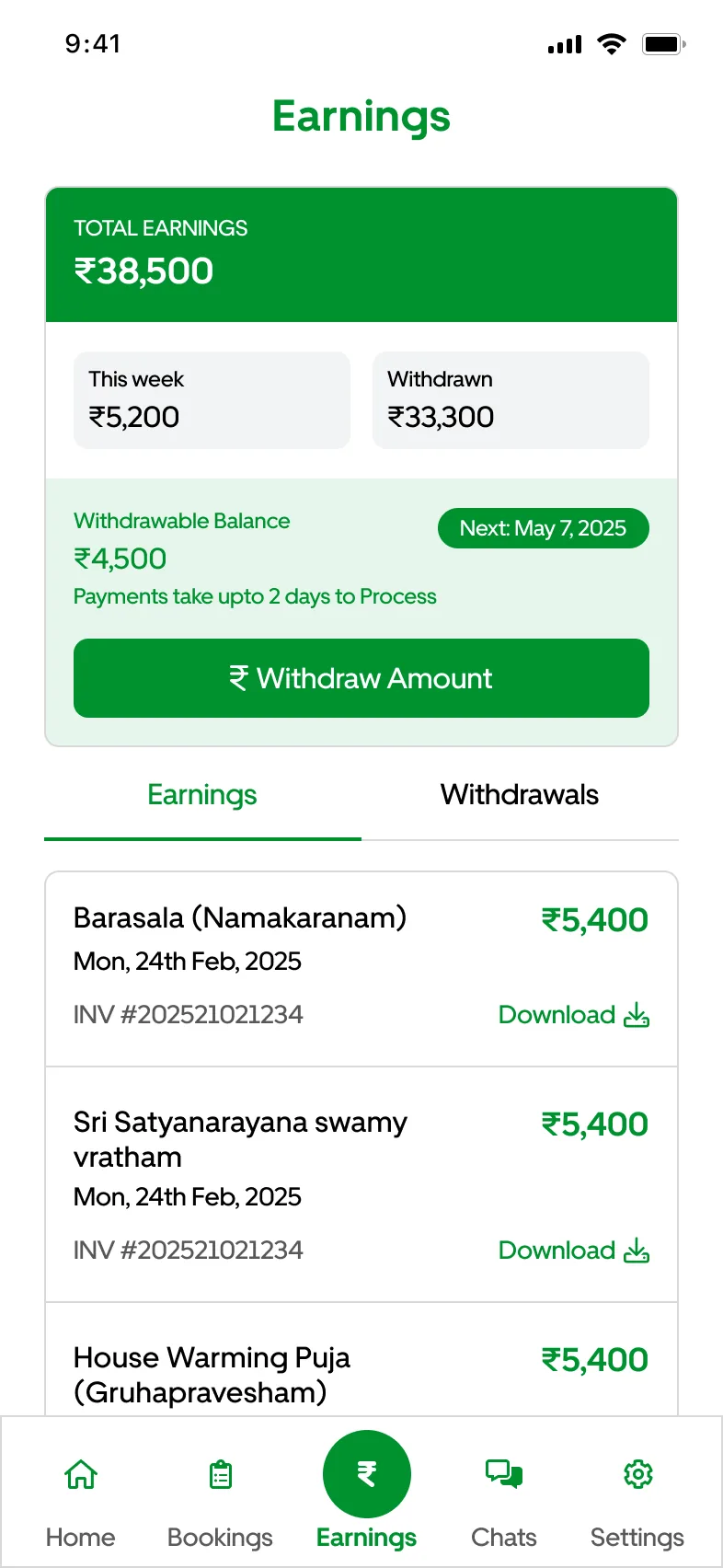
Get paid with an invoice for each puja
Stores swap bookings for orders
Pujari app 37 screens, bhajan band app 35, store app 31.
06The system
One design system for four apps
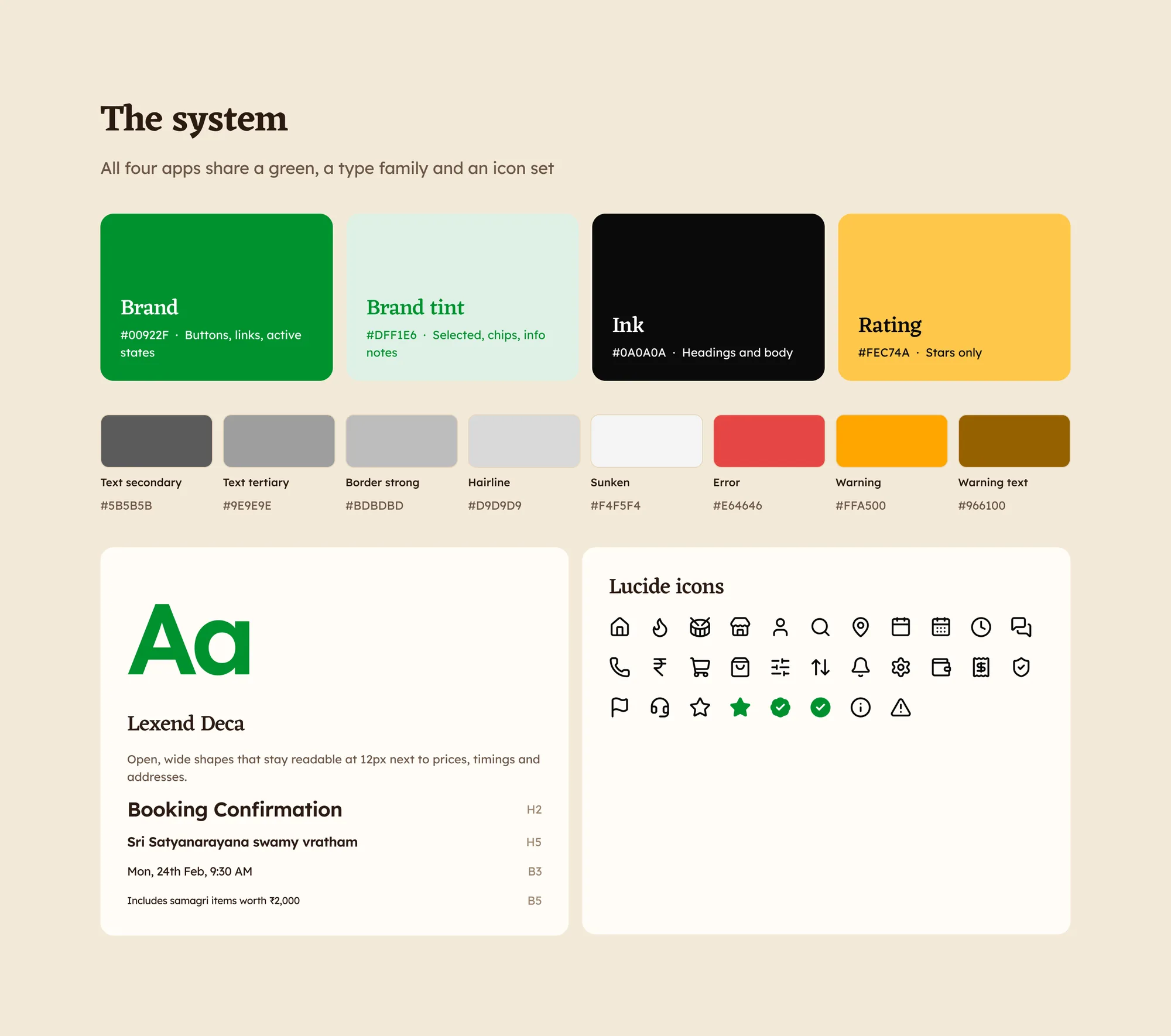
One green, one type family and one icon set across all four apps. Ten near-identical greys became three text tones and two border tones, each saved as a variable developers can read by name.
One type family with open, wide shapes stays readable at 12px next to prices and timings. One 2px Lucide stroke style replaced three Font Awesome weights.
Colour, type and icons.
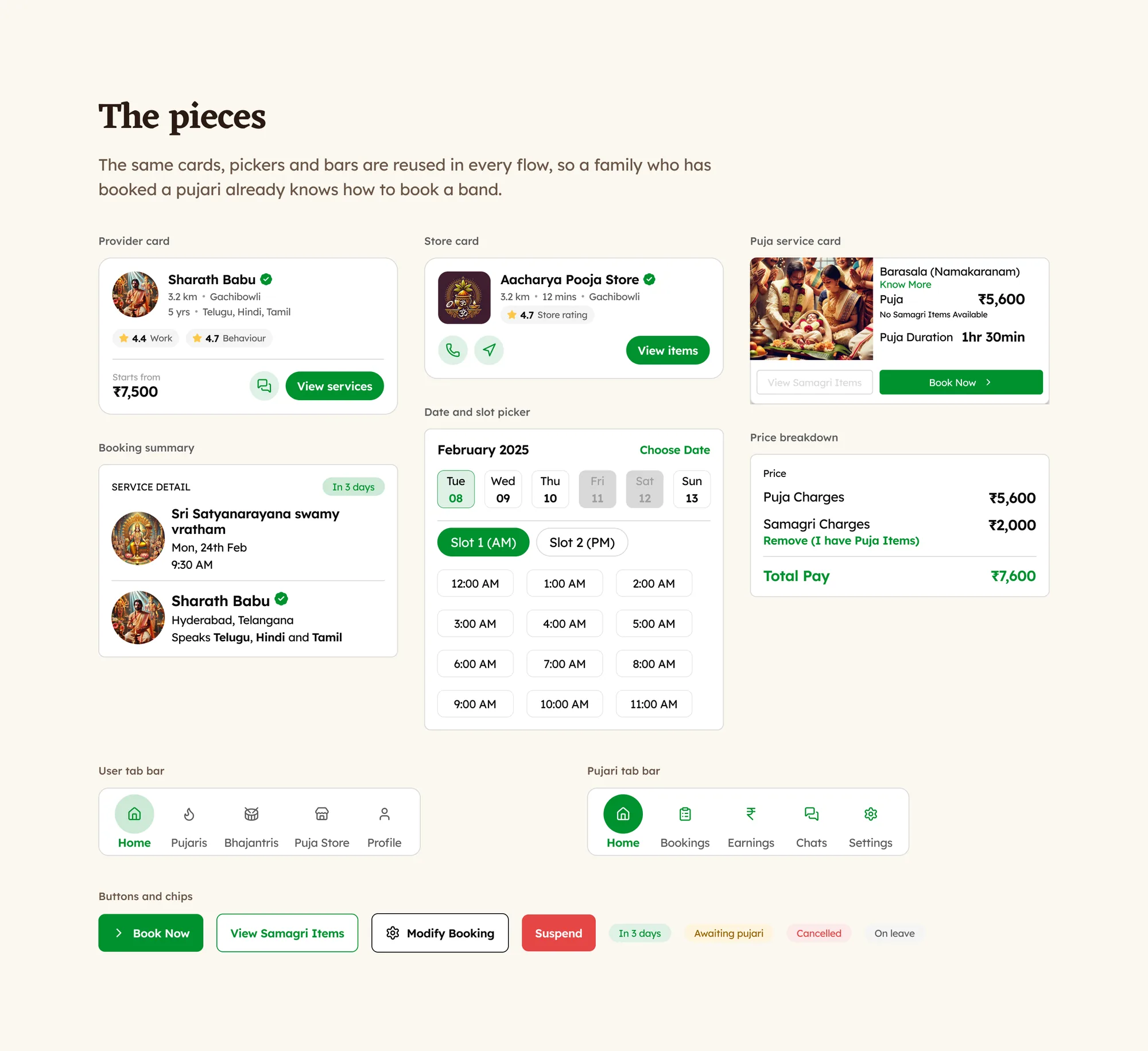
The same cards, pickers and bars carry across every flow, so a family who has booked a pujari already knows how to book a band.
Prasada
The offering. Revisions with the client, and what went to the developers.
07Revisions and handoff
What changed after the client's review
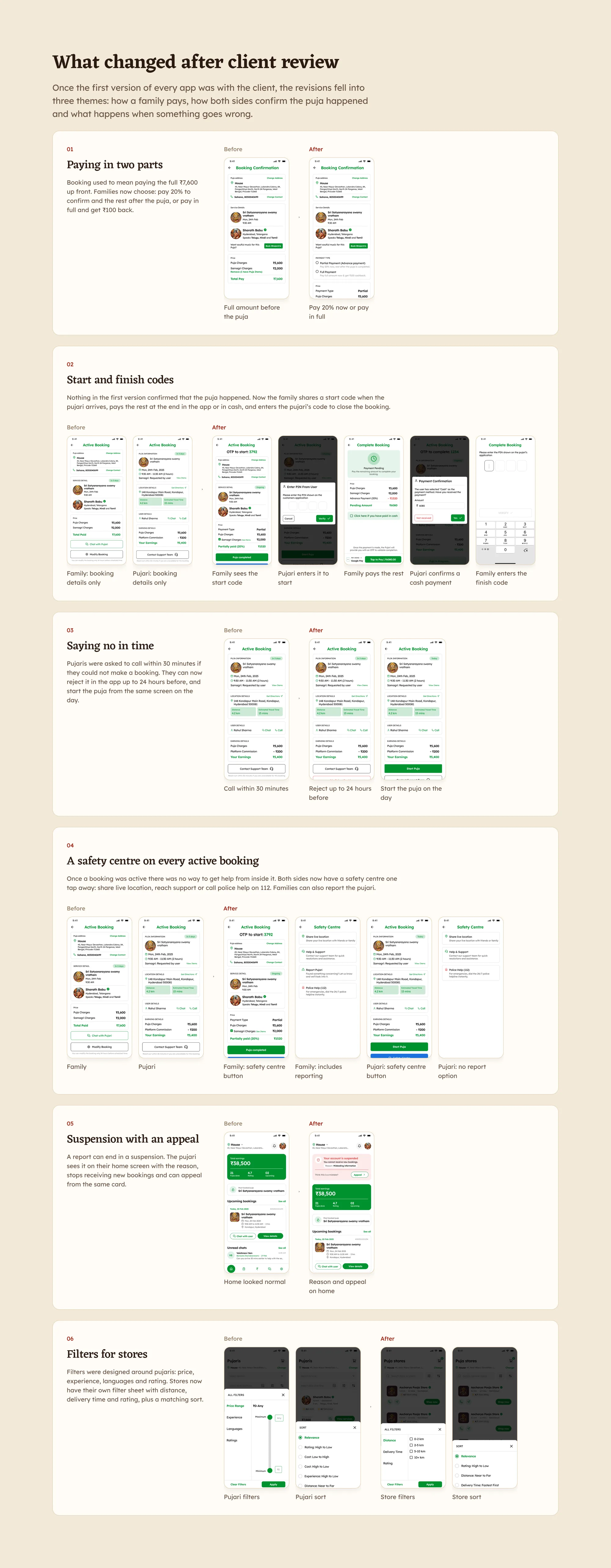
Once the first version of every app was with the client, the revisions fell into three themes: how a family pays, how both sides confirm the puja happened and what happens when something goes wrong.
01
Paying in two parts
Pay 20% now and the rest after, or pay in full and get ₹100 back.
02
Start and finish codes
The family shares a start code; the pujari's code closes the booking.
03
Saying no in time
Reject up to 24 hours before, and start the puja from the same screen on the day.
04
A safety centre on every active booking
Share live location, reach support or call police help on 112. Families can report the pujari.
05
Suspension with an appeal
The reason on the home screen, and an appeal from the same card.
06
Filters for stores
Distance, delivery time and rating, with a sort that includes delivery time.
Every revision, before and after. Open it to see all six.
Two open items
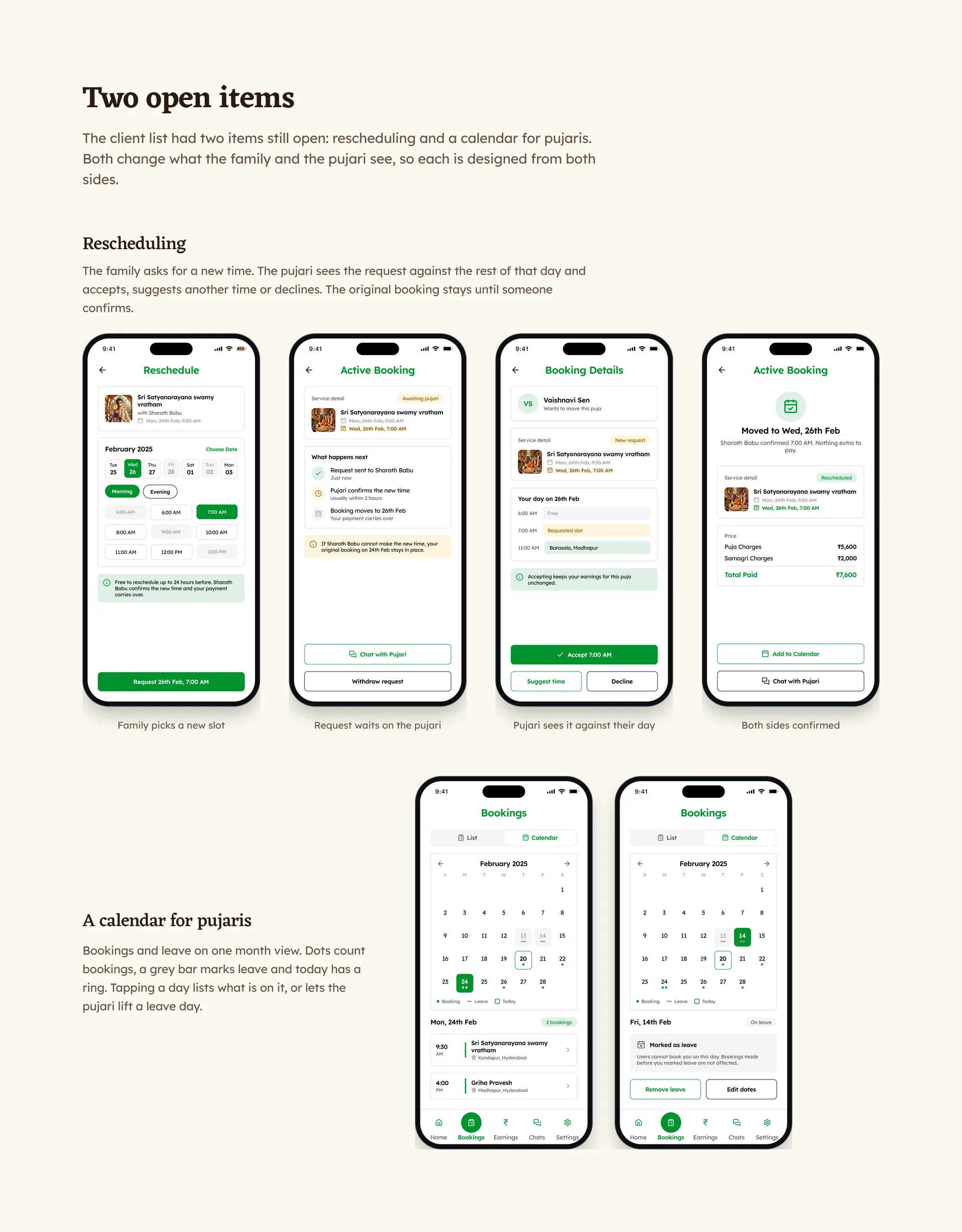
The client's list had two items still open: rescheduling and a calendar for pujaris. Both change what the family and the pujari see, so each is designed from both sides.
For rescheduling, the family asks for a new time, the pujari sees it against the rest of that day and the original booking stays until someone confirms.
How the four months ran
Research and structure in the first three weeks
→
The family app
→
The visual language
→
Pujari and bhajan band apps
→
The store app
→
Revisions, handoff and support in the last month
08How I used AI
Help with the prep work
Where it helped
Preparing for the pujari conversations: a first list of questions, which I rewrote in plain language after the first call.
First drafts of empty states and error messages, which I cut down to match how families and pujaris actually talk.
Laying the three provider flows out step by step, side by side, so I could see where they matched.
What stayed mine
Verification and ratings, based on what pujaris told us about word of mouth.
The shared flow for the three provider apps.
How the two-part payment, the start and finish codes and the safety centre work, designed from the client's review notes.
Every screen and state across the four apps.
09At launch
How I'd measure success
There are no numbers to share yet. These are the signals I'd track to see whether the design works.
Families who book a pujari they had never heard of
This is what verification and ratings are for. If most bookings still go to pujaris families already knew, those features aren't doing enough.
Bookings with samagri included
Whether the with-and-without-samagri toggle is understood, and whether stores need to be surfaced earlier.
Time from pujari sign-up to first booking
Approval sits between sign-up and a first booking. This shows where pujaris drop off before they ever earn.
Reports per hundred bookings
Paired with how many suspensions are overturned on appeal, it shows whether the report flow is fair to pujaris as well as families.
See the full case study
The complete Deepam case study, with all four apps, is on Behance.